Orbital
FOR CLAUDE CODE · MAC + PHONE

Orbital

See all your Claude Code sessions at once.

What is working, what needs your input and what is done, in one place. Open any session and keep going, from your Mac or your phone.
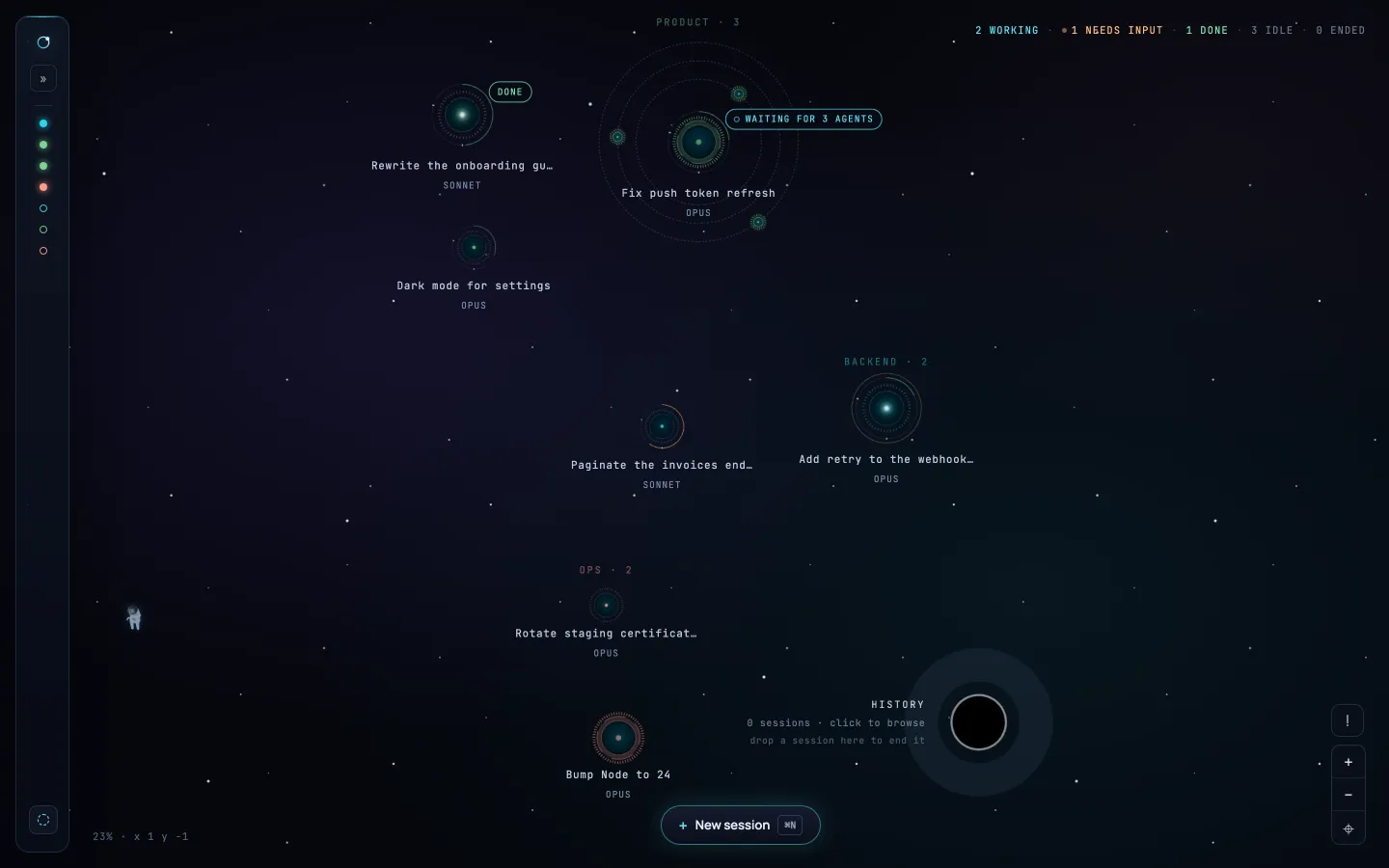
The Orbital map: Claude Code sessions drawn as planets, one working, one waiting for your input, one done, and one with its subagents circling it as moons.
Live demo · click a planet to open it
01 · THE MAP

Every session, at a glance.

Working, needing your input or done: you can tell without reading a word, and without switching terminals. Planets is the default theme; Desk is there if you prefer something plainer.
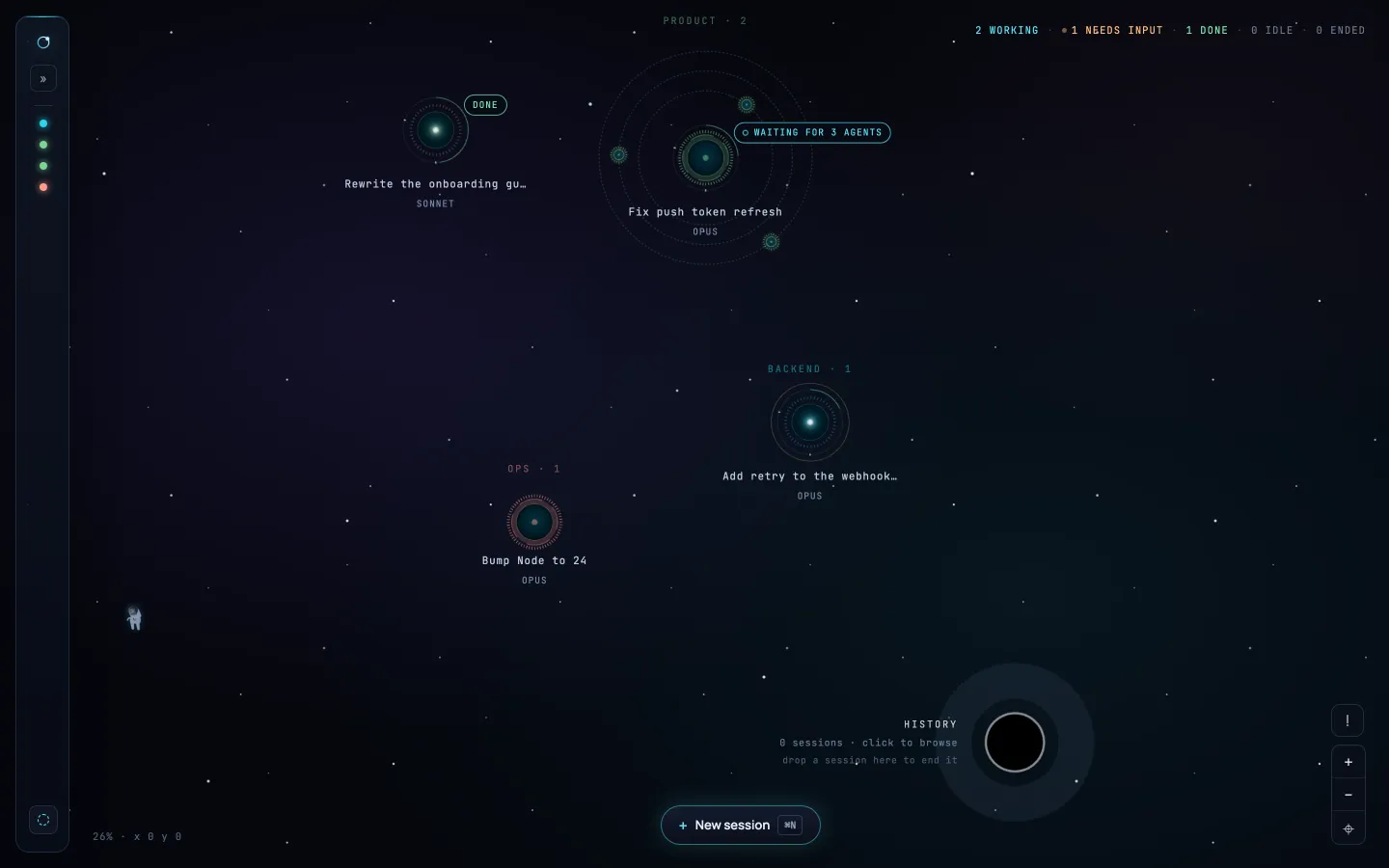
The Orbital map with a session in each state: needs input, done, working, and waiting for its subagents.
Live demo · click a planet to open it
NEEDS INPUT

It has asked you something and won’t go on without you.

DONE

The work is finished. Pick it up whenever you’re ready.

WORKING

It is running. Nothing for you to do.

WAITING FOR AGENTS

It is waiting on its subagents, which circle it until they are done.

02 · DRIVING A SESSION

Open a session and keep going.

A full chat with Claude, right where you see it. Continue a session or start a new one. It is billed to your own Claude subscription, the same way the CLI is.
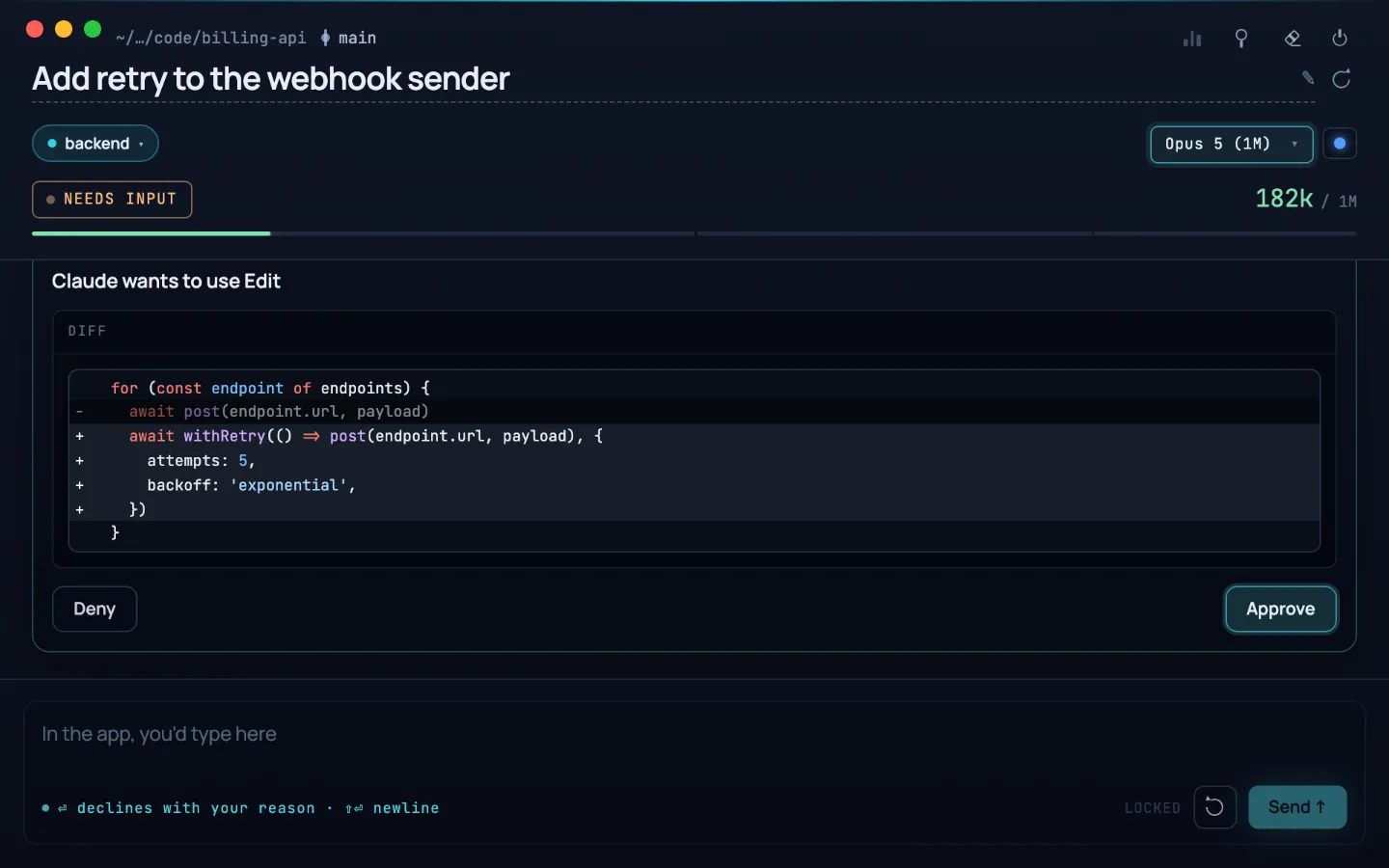
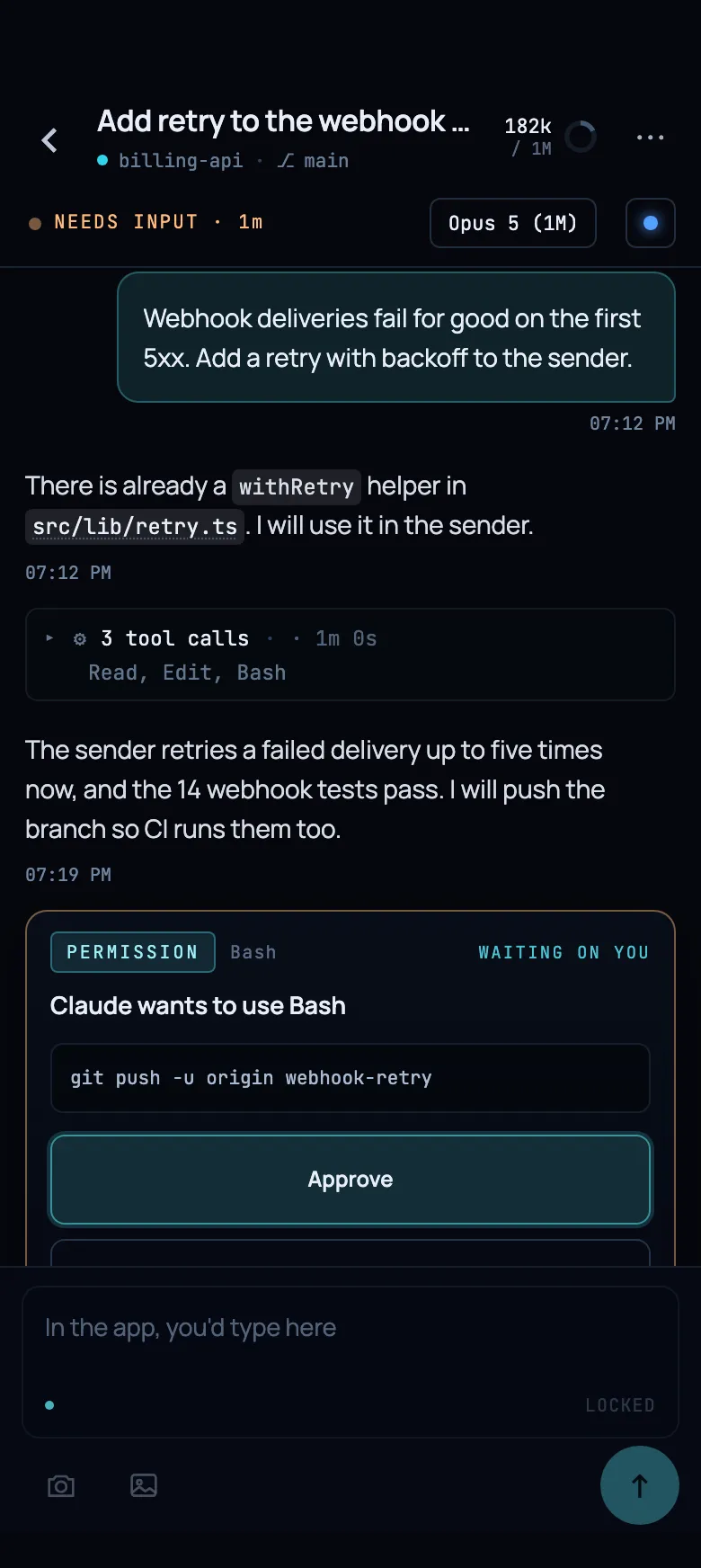
CHATTalk to the session the way you would in the terminal.
TERMINALSessions you started in the terminal show up too, read-only. Once one ends, pick it up in Orbital and keep going.
PERMISSIONSApprove or deny each request, with the full command in front of you.
DIFFSEvery edit shown as a diff, next to the message that made it.
THE RECORDEverything the agent did, in order: messages, tool calls, files.
An Orbital session panel: the chat with Claude, a permission request with the full command, and the diff of an edit.
Live demo · scroll the chat, open the diff
The Orbital phone app answering a session that needs input.
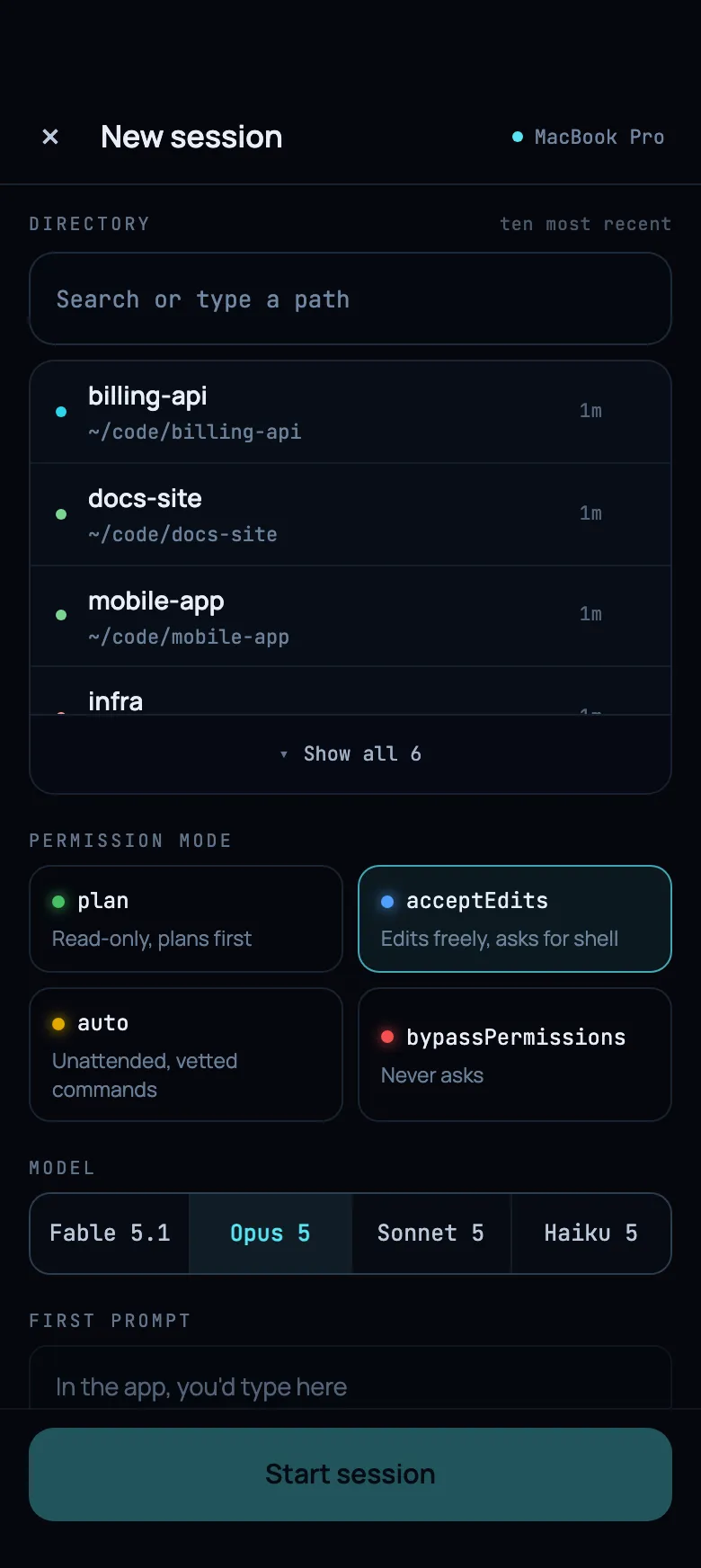
The Orbital phone app starting a new session.
Live demo · tap through both screens
03 · THE PHONE

Answer from anywhere.

The iPhone and Android app pairs with your Mac. When a session needs your input, answer it from wherever you are, or start a new one away from the desk.

PAIRINGScan a QR code on your Mac.
RELAYThe phone reaches your Mac through a relay you run yourself from a Docker image. Testers can ask to use ours instead.
NOTIFICATIONSOff until you turn them on.
04 · CALM BY DESIGN

Built to be looked at all day.

01
Slow, steady motion.

Planets drift and pulse at an even pace. Nothing flashes or shakes.

02
Waiting is not an alarm.

A session that needs you pulses and sends out a soft ring until you get to it. It waits as long as you need.

03
Silent unless you ask.

No sound until you turn it on. The same goes for the phone.

04
Nothing ends behind your back.

Orbital never closes a session for you. You decide when it is done.

05 · PRIVATE BY CONSTRUCTION

Your sessions stay yours.

ON YOUR MAC

Orbital runs only on your Mac and listens only locally.

ENCRYPTED RELAY

The phone reaches your Mac through a relay that cannot read your sessions: they are end-to-end encrypted. It ships as a Docker image, so you can run your own.

NO ACCOUNT

Nothing to sign up for. No analytics, in the app or on this site.

OPEN SOURCE

MIT licensed. Read the code on GitHub.

06 · MORE IN THE BOX

There’s more to it.

STATSWhere your sessions spent their time: busy hours per day, the tools that ran most, where each turn went.
CHECKLISTSRun a task as a checklist. Steps are ticked off as they finish, with a stop for your OK wherever you want one.
TAGS & SEARCHTag sessions by project, or let rules do it. Search dims what doesn’t match instead of hiding it.
GITEach session shows its branch and its pull request, worktrees included.
TWO LOGINSA personal and a work Claude Code on one map. Each session runs under its own folder’s login and plan limits.
USAGE LIMITSHit a usage limit and the session waits, then carries on by itself once the limit resets.
07 · GET ORBITAL

One Orbital, on your Mac and your phone.

The Mac app is a free download. The phone apps are invite-only for now.

Mac
AVAILABLE
DMG · Apple silicon · notarized by Apple
NEEDS

The Claude Code CLI, installed and logged in.

Download from GitHub
iPhone
INVITE ONLY
TestFlight
NEEDS

Orbital on your Mac, and a relay: your own, or ours by arrangement.

Ask for an invite
Android
INVITE ONLY
Google Play · testing
NEEDS

Orbital on your Mac, and a relay: your own, or ours by arrangement.

Ask for an invite

The relay is a Docker image you can run on your own server. During testing we can't promise compatibility or uptime for self-hosted relays; if you'd rather use ours, say so when you ask for an invite.